
If you want to add funds to the running grid bot, please follow the steps below.
Web Operation Steps
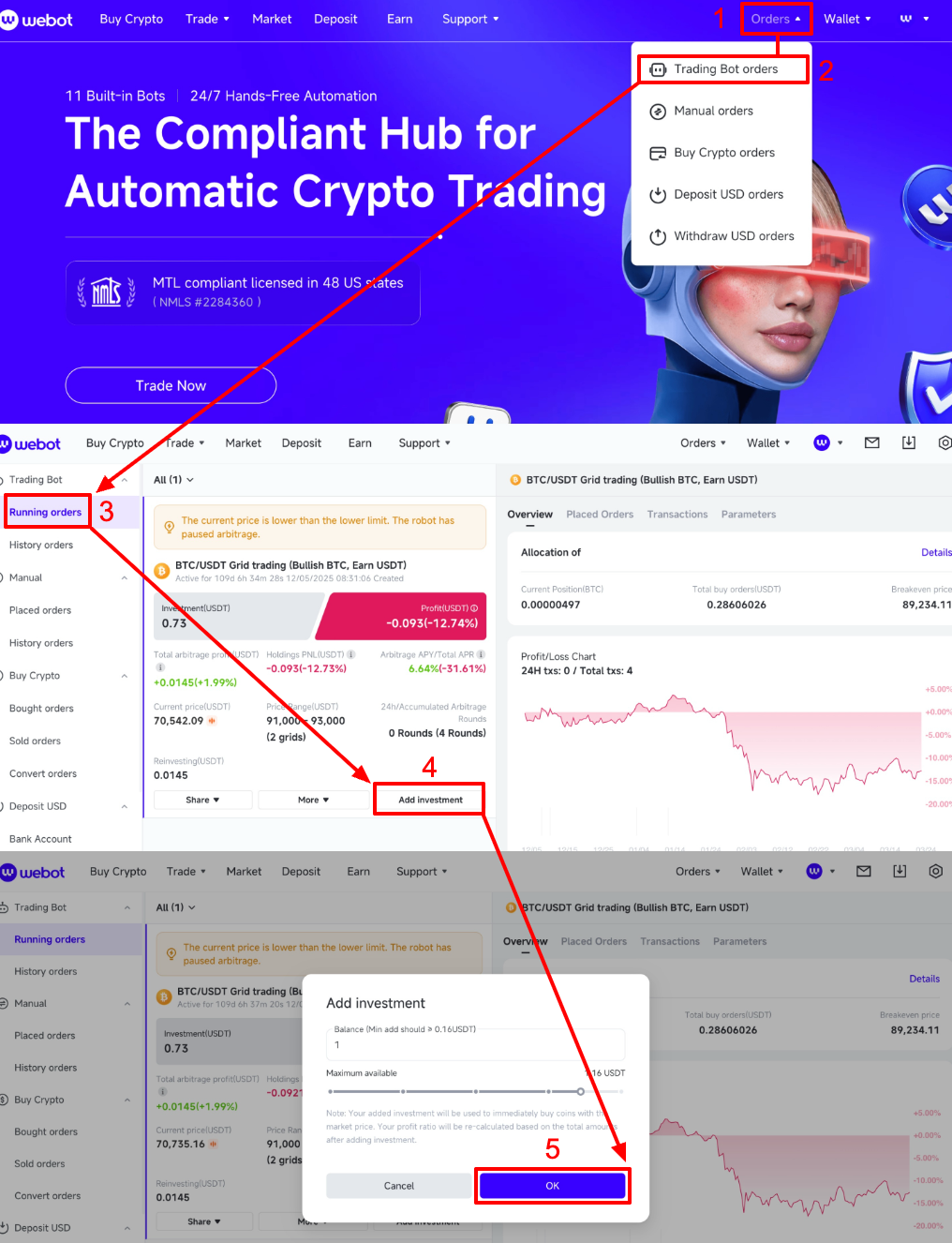
Open the Webot webpage and log in to your account, then click [Orders] – [Trading Bot Orders] – [Running orders] – [Add investment], enter the amount of money you want to add, and click [OK].
App Operation Steps
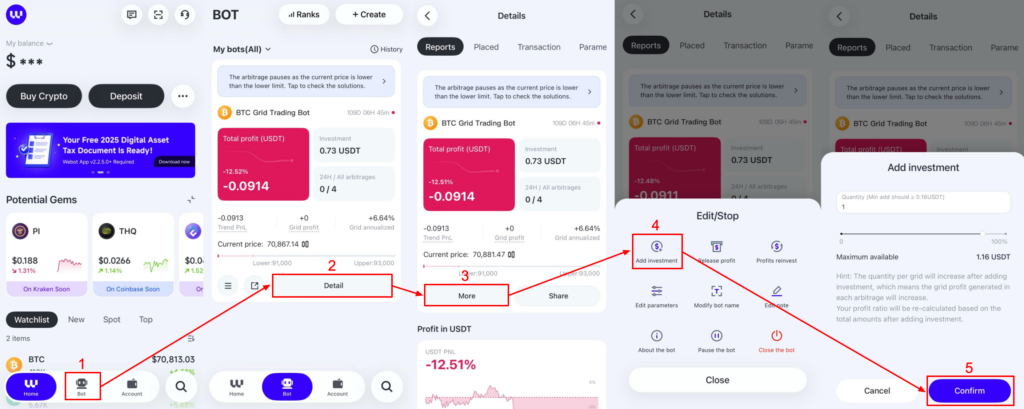
Open the app and log in to your account. Click [Bot], find the bot order, and click [Detail] – [More] – [Add investment] in order, drag the slider, enter the added amount, and click [Confirm].
Please get in touch with Webot Support if you have any other questions.